
ESV Bible
CrosswayBooks & Reference
4.74.06K Reviews
- Version
- 5.2.9
- Installs
- 1.00M
- Age Rating
- Everyone
Screenshots
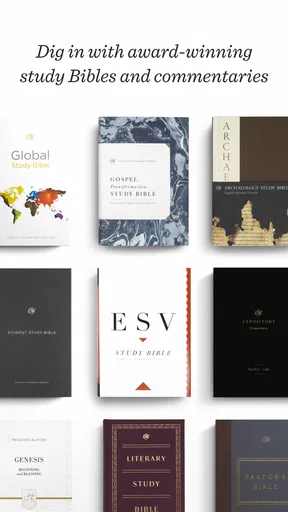
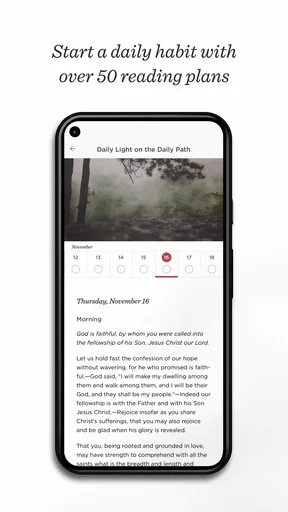
Our Review of ESV Bible
 Analysis by Appyee
I have used ESV Bible as a reading and study companion rather than treating it like a simple digital book. That distinction matters. The app is built around the English Standard Version, but its real value comes from the way reading plans, streaming audio, and study tools sit together in one place. For someone who wants a more organized way to read Scripture on a phone or tablet, it is a thoughtful option. For someone looking for a broad library of translations, a highly customizable note-taking system, or a completely purchase-free experience, the decision is less straightforward.
Crossway develops the app, which belongs in the Books & Reference category. It is free to install and suitable for Everyone, so the first step is easy: download it, open the text, and see whether the ESV’s style works for you. The app has been available since December 24, 2010, and its current version is 5.2.9, with support beginning at Android 8.0. Its long presence and scale are reflected in more than a million installs, while its 4.7 average from around 20 thousand ratings suggests that many readers find the experience dependable.
How I would decide whether it fits
My first decision criterion would be translation preference. This is not a neutral container that lets you move casually between many Bible versions; the ESV itself is the center of the experience. If you already appreciate its fairly formal, careful English, the app feels focused. If you prefer a more conversational translation, the reading experience may feel less natural, regardless of how polished the surrounding tools are.
The second criterion is how you actually read. Some people open a Bible app only when they need to look up a verse. Others work through a planned passage every morning, listen while commuting, revisit a chapter during study, or use a phone as a substitute for a physical Bible at church. ESV Bible is more compelling for the second group because its reading plans and audio make repeated engagement easier than a plain document reader.
I would also consider whether you want one dedicated Bible app or a general reference shelf. A broad religious reading app may offer several translations, commentaries, devotionals, and other books in the same interface. ESV Bible takes a narrower route. That narrower scope can reduce distraction, but it also means the app has to match your preferred translation and study habits before its advantages become obvious.
Finally, I would think about how much friction I tolerate around optional purchases. The app is free, but in-app purchases range from $3.99 to $39.99 per item. That does not make the free starting point misleading, but it does mean I would explore the basic reading workflow before deciding whether any paid additions are worthwhile. A free install is useful; it should not automatically be confused with unlimited access to every extra resource.
What the first few sessions feel like
My first impression is that the app works best when I give it a clear purpose. Opening it just to browse can make any Bible app feel like a collection of menus. Choosing a passage, starting a reading plan, or switching to audio gives the session direction. The interface is most useful when it helps me continue an existing habit rather than when I expect it to invent one for me.
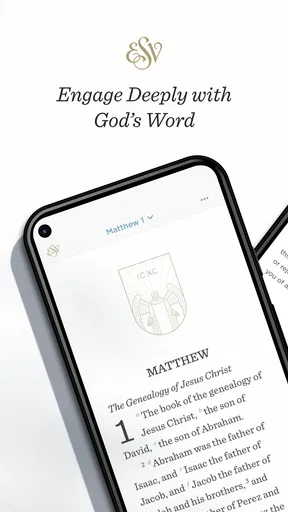
For ordinary reading, the advantage is concentration. The app keeps the text at the center instead of surrounding it with the endless recommendations found in some broader content platforms. That makes it suitable for a short morning reading, a quiet evening session, or a quick passage lookup before a discussion. I also like the fact that the same device can move from silent reading to listening without requiring a separate audiobook application.
The ESV’s tone deserves attention before anyone commits to it. Its wording can feel precise and structured, which is useful when I want to follow the shape of a passage closely. It can also feel less immediately casual than a modern paraphrase. That is not a flaw in the app, but it is a meaningful trade-off: the software cannot compensate if the translation itself does not suit the way you understand and remember biblical language.
Why the reading plans matter more than they first appear
Reading plans are not merely a decorative feature. In everyday use, they solve the problem of deciding what to read next. Without a plan, I can spend more time searching for a passage than actually reading. With one, the app becomes a small routine manager: I open it, see the next portion, and begin. That removes a surprisingly common barrier for anyone trying to read consistently.
A useful workflow is to treat the plan as a starting point rather than a strict rule. If I have only a few minutes, I can complete the day’s section and stop. If a passage raises a question, I can stay with it instead of rushing to maintain a schedule. This makes the plan helpful without allowing it to turn reading into a box-ticking exercise.
There is also a practical trade-off. A plan can encourage consistency, but it may not match a church study, a group discussion, or a personal topic I am exploring. In those moments, jumping directly to a book or chapter is better. The strongest use of the feature is therefore flexible: let the plan provide momentum, then leave it when a particular passage deserves slower attention.
Using streaming audio in real life
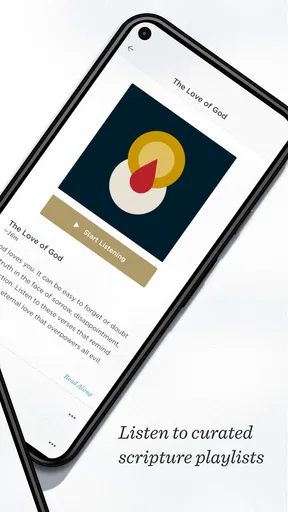
The streaming audio option is especially useful when reading on a screen is inconvenient. I can listen while preparing breakfast, walking, or doing a repetitive household task. It changes the app from a place I visit only with my eyes into something that can accompany a part of the day when holding a phone would be awkward.
Audio is not a full replacement for reading, though. When I need to compare wording, pause over a sentence, or trace a repeated idea, visual text is more efficient. Listening is better for continuity and exposure; reading is better for close examination. I would use both modes instead of treating one as universally superior.
Streaming also brings a simple practical consideration: it depends on an active connection while listening. I would not plan a long offline trip around it without checking how the app behaves in that situation. For a normal commute or home routine, that limitation may not matter. For travel, weak reception, or a restricted data plan, the audio feature is less dependable than downloaded files would be.
One of my preferred habits is to listen to a passage first and read it afterward. The audio gives me the overall movement, while the second pass lets me inspect details that passed too quickly. This two-stage approach makes the app feel more like a study aid than background sound, especially when I am trying to understand a longer section rather than collect isolated quotations.
Study tools: helpful when used deliberately
The study tools are where the app becomes more than a basic electronic Bible. Their value depends on my willingness to slow down. A quick lookup is convenient, but a focused study session benefits from moving between the passage and the supporting material instead of opening several unrelated apps and losing the original context.
I find the best workflow is to begin with the text and form my own first impression. Only then do I use study material to clarify language, context, or a difficult connection. Starting with explanations can make the reading feel passive. Starting with the passage keeps the app from becoming a shortcut that replaces personal attention.
Another useful habit is to keep a small question in mind before opening the tools. For example, I might ask why a repeated phrase matters or how a paragraph connects to the surrounding chapter. That gives the study features a job to do. Without a question, it is easy to tap through resources simply because they are available, which creates activity without much understanding.
The limitation is that dedicated academic users may eventually want a more expansive research environment. Someone comparing many translations, consulting a large collection of scholarly resources, or building an extensive cross-reference system may find a specialized study platform more suitable. ESV Bible is strongest as a focused companion to the ESV, not as a universal replacement for every research tool.
Where this app wins, and where another category may fit better
ESV Bible wins on focus. It gives readers a direct path from opening the app to reading, listening, following a plan, or studying a passage. There is less need to assemble that workflow from separate products. For a person who has already chosen the ESV and wants a dependable daily habit, that simplicity is more valuable than a long list of unrelated features.
It also wins for people who move between different kinds of attention. I can read when I am settled, listen when my hands are occupied, and return to study tools when a passage requires more thought. That flexibility is more meaningful than a feature count because it matches the way real routines change throughout the day.
Compared with a paper Bible, the app is easier to carry and more adaptable for audio and planned reading. Paper still has advantages: it does not depend on a battery, notifications, or a screen, and many readers remember locations on a physical page more naturally. I would choose the app for portability and routine support, while keeping paper as a better choice for distraction-free reading or extended group use.
Compared with a general Bible app that offers multiple translations, ESV Bible is more specialized. The general option is better when I regularly compare wording or serve people with different translation preferences. This app is better when I want the ESV to remain the default and do not want every reading session to become a comparison exercise.
Compared with a broad study platform, it is easier to approach but potentially less comprehensive. A researcher who needs a large reference library may prefer the broader tool. A reader who wants to understand a passage without managing a complicated workspace may appreciate this app’s tighter purpose.
There is a cost to switching from another Bible app. My reading habit, saved locations, and personal way of organizing study may not transfer neatly. Even when the new app offers a cleaner experience, rebuilding a routine takes attention. I would not switch merely because the interface looks different. I would switch if the ESV translation, integrated audio, or reading-plan approach directly solves a problem I experience every week.
Who should skip it
I would not recommend it as the first choice for someone whose main requirement is a wide selection of Bible translations in one place. The focused ESV approach is its identity, so a multi-translation reader may feel constrained. I would also point elsewhere if offline listening is essential to your routine, since streaming audio is designed around connectivity.
It may not suit readers who want a completely paper-like experience. A phone introduces the usual distractions, and even a well-designed reading screen remains a screen. If you already read comfortably from a physical Bible and do not want audio or plans, installing another app may add complexity without improving your habit.
Finally, users seeking a deep research workstation should set realistic expectations. The study tools are useful within a focused reading workflow, but an app centered on one translation will not necessarily replace a more expansive reference system. In that case, ESV Bible can still serve as the reading component, but I would not make it my only study resource.
My practical recommendation
I recommend trying ESV Bible when you want a free, focused way to read the ESV and build a repeatable routine around it. Start with a short reading plan, use audio during one ordinary part of your day, and reserve the study tools for passages that genuinely raise questions. That trial will tell you more than browsing feature descriptions because the app’s success depends on whether it fits your rhythm.
The free entry point makes that experiment low-risk, while the optional purchases mean I would avoid committing financially until the basic experience has earned a place in my routine. The Everyone rating also makes it approachable for households and readers of different ages, although individual translation preference still matters more than the age label.
After using it, my view is fairly clear: this is a strong choice for an ESV reader who values structure, audio, and focused study in one app. It is not the universal answer for translation comparison, offline-first listening, paper-free distraction avoidance, or advanced academic research. Those are not small exceptions; they define when another category of tool is better.
If I were recommending it to a friend, I would say this: install it if the ESV is already the Bible you want to read and you need help turning good intentions into a regular practice. Begin without buying anything, test both reading and listening, and notice whether the study tools deepen your attention rather than interrupt it. Its biggest strength is not simply having Scripture on a phone; it is making one translation easier to return to with purpose.
For that specific reader, the combination is convincing. Crossway’s app has enough flexibility for daily use without losing its central identity, and its strong user response—an average of 4.7 from around 20 thousand ratings—supports the impression that it serves its intended audience well. I would choose it confidently for focused ESV reading, while choosing a broader alternative when variety, extensive research, or offline access matters more than a streamlined routine.
Verdict
Strengths of ESV Bible
- Clear, accurate English translation for personal Bible study.
- Audio Bible helps users listen while commuting or relaxing.
- Helpful search makes finding verses and topics quick.
- Reading plans support consistent daily Bible reading.
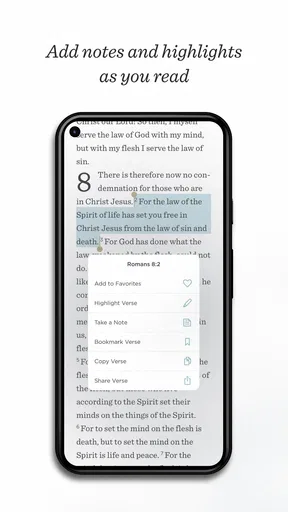
- Notes, highlights, and bookmarks help organize favorite passages.
Limitations of ESV Bible
- Some features may require an internet connection or downloads.
- The formal language can feel less accessible to new readers.
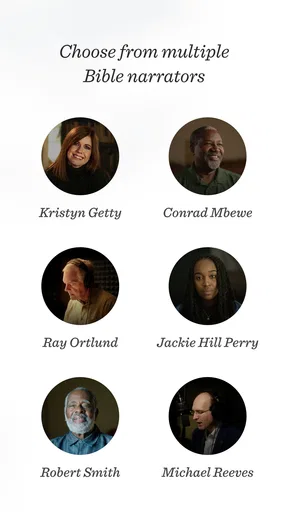
- Audio narration may vary in quality between available versions.
- Limited study tools compared with dedicated Bible study apps.
- Frequent reading-plan reminders may not suit every user.
Similar Picks in This Category
View All
Google Play Books & Audiobooks
Google LLC4.7

네이버 - NAVER
NAVER Corp.3.5

Wattpad - Read & Write Stories
Wattpad.com3.7

King James Bible - Verse+Audio
Ozion4.8

Bible Offline-KJV Holy Bible
Bíblia Offline4.9

Amazon Kindle: Reading App
Amazon Mobile LLC4.8
Frequently Asked Questions
What is the ESV Bible app?
The ESV Bible app is a digital Bible reader centered on the English Standard Version, a popular English translation known for its essentially literal approach. After installing it, users can read individual books, browse chapters and verses, search for specific passages, and save helpful content for later study. Depending on the platform and available features, it may also include audio Bible access, reading plans, notes, highlights, and cross-references.
Is the ESV Bible app free to download and use?
The ESV Bible app can generally be downloaded free of charge, allowing users to access the Bible text and basic reading tools without paying upfront. However, some additional features may depend on the current edition of the app, an account, regional availability, or optional purchases and subscriptions. It is worth checking the Google Play Store or Apple App Store listing carefully before downloading, especially if you want audio content or advanced study resources.
Does the ESV Bible app work offline?
Offline availability depends on the specific ESV Bible app version and the content you download in advance. In many cases, users can read downloaded Bible text without an internet connection, which is useful while traveling, commuting, or attending church in an area with poor reception. Features such as synchronization, streaming audio, online study materials, and account-based content may still require internet access.
What features are available for Bible study and reading?
The app is designed for more than simply opening a Bible passage. During testing, the most useful tools for regular reading include book and chapter navigation, keyword search, adjustable text display, bookmarks, highlights, notes, and reading plans, although the exact selection may vary by version. Cross-references, study resources, and audio features can also make it more practical for personal devotion, group study, or listening while completing other tasks.
Is the ESV Bible suitable for beginners and experienced readers?
Yes, the ESV Bible app can serve both beginners and experienced Bible readers, although the translation’s wording may feel more formal than some modern, easy-reading versions. Beginners can start with a reading plan, search for familiar topics, or use introductory resources when available, while experienced users may appreciate the accurate, consistent text and study tools. Comparing passages with another translation can also help clarify difficult or unfamiliar wording.
